


AI customer service software has moved from “nice to have” to “table stakes” for support teams that need to handle growing volumes without exploding costs. The real question in 2026 is no longer “Should we use AI?” but “Which AI support tools actually resolve tickets end‑to‑end, integrate cleanly with our stack, and bill in a way that matches our economics?”
This guide breaks down 15 leading AI customer service platforms, compares how they approach automation, pricing, and governance, and maps them to common team profiles. Everything here is based on publicly available documentation, pricing pages, and third‑party analyses as of mid‑2026. No invented benchmarks, no fake case studies—just a clear, practitioner‑oriented view of what each option does well and where trade‑offs show up.
Table of Contents
At a Glance: 15 AI Customer Service Platforms Compared
| Platform | Best For | AI Pricing Model (2026) | Starting Price (excl. AI) | Notable Strengths | Common Trade‑Offs |
| Zendesk | Enterprise omnichannel support | Per‑resolution AI (~$1.20–$2.00) + seat plans | ~$19–$115/agent/mo | Broadest platform, deep admin controls | Costly add‑ons; AI leans deflection |
| Intercom (Fin) | SaaS, in‑app messaging | $0.99/resolution + seat plans | $29–$139/seat/mo | Strong conversational AI, large install base | Expensive at scale; ticketing less deep |
| Freshdesk (Freddy AI) | SMB to mid‑market suites | ~$0.49/session or bundled tiers | From $19/agent/mo | Affordable, easy to adopt | AI caps on lower plans; suite complexity |
| HubSpot Service Hub (Breeze) | CRM‑native teams | $0.50/resolution (Pro/Enterprise) | From $7/user/mo | Tight CRM alignment, simple UX | Advanced AI behind higher tiers |
| Salesforce Service Cloud (Agentforce) | Salesforce shops, large enterprises | ~$2/conversation (custom) | From $25/agent/mo | Deep CRM, enterprise governance | High TCO; complex implementation |
| Help Scout | Small, email‑first teams | ~$0.75/resolution add‑on | From $25/user/mo | Clean shared inbox, gentle learning curve | Limited deep automation |
| Zoho Desk (Zia AI) | Budget‑conscious, Zoho ecosystem | AI by tier; low per‑agent plans | From $7–$14/agent/mo | Very affordable, decent AI assist | Automation depth lags leaders |
| Gorgias | Shopify/DTC ecommerce | ~$0.90–$1.00/resolution + ticket fees | Custom / pilot | Deep ecommerce app marketplace | Double‑meter pricing; AI maturity varies |
| Kayako | Mid‑market, expert‑implemented AI | ~$1/ticket (pilot/custom) | Custom (pilot‑first) | Outcome‑based, expert rollout | Custom pricing; less self‑serve |
| BoldDesk | Teams wanting unified AI helpdesk | Bundled AI in plans | ~$99/mo for 5 agents | AI agents + Copilot + ticketing in one | Advanced workflows need learning |
| Kustomer | CRM‑driven support, mid‑market | Custom (AI add‑ons) | Custom | Unified timeline, strong automation | Pricing opaque; AI costs add up |
| Tidio (Lyro AI) | Ecommerce SMBs | Tiered AI; higher plans for full automation | From ~$24/mo | Affordable chatbots, easy setup | Full AI behind higher tiers |
| Hiver | Gmail‑native support teams | AI in higher plans | From $25/user/mo | Works inside Gmail, low training | Limited beyond email/Gmail context |
| HappyFox | IT/ops + support, structured workflows | AI in higher plans | From $24/user/mo | Strong ticketing, Assist AI | UI can feel complex at scale |
| Jira Service Management | Dev‑aligned ITSM, Atlassian shops | AI in Premium/Enterprise | From ~$22/agent/mo | Tight Jira/Confluence integration | IT‑first; weaker B2C polish |
Pricing and AI models change frequently; figures reflect publicly available information as of mid‑2026 and should be verified directly with vendors.
What “AI Customer Service Software” Actually Means in 2026
From chatbots to AI agents that resolve tickets
A few years ago, “AI in support” mostly meant three things: rule‑based chatbots that tried to deflect customers to help center articles, simple suggested replies for human agents, and basic ticket categorization or routing. Those tools could reduce some manual work, but they rarely changed the fundamental economics of support. The chatbot would answer FAQs or fail gracefully to a human; the agent would still read the full thread, look up policies, and type the response. AI was an accessory, not a worker.
In 2026, the leading AI customer service platforms position themselves around AI agents that are expected to do more than converse. The core idea is that the AI should be able to:
- Understand intent using natural language processing
Instead of matching keywords or rigid flows, modern AI agents interpret what the customer actually wants (“I need a refund because my order never arrived,” “Please cancel my subscription after this billing cycle,” “My login is locked and I need it reopened”). This intent understanding is the foundation for everything that follows. - Retrieve answers from a connected knowledge base
The agent is grounded in your documentation, policies, and product data. When a question comes in, it searches your knowledge base (and sometimes product or order data) and constructs an answer that reflects your actual rules, not a generic model response. This grounding is what makes the AI’s answers defensible in a support context. - Execute actions (refunds, order edits, cancellations) via integrations
This is where the shift from “talk” to “work” becomes visible. A 2026‑style AI agent doesn’t just say “I can help with refunds”; it actually calls your ecommerce or billing APIs to process a refund, modify an order, or cancel a subscription, within predefined guardrails. The AI becomes a participant in your operational workflows, not just a text generator. - Close tickets without human touch when confidence is high
When the agent is confident it has understood the request, retrieved the right information, and successfully executed any required actions, it can mark the ticket as resolved. The customer gets their outcome; the ticket never touches a human queue. This is the primary lever for reducing cost per ticket and freeing agents for higher‑value work. - Escalate complex or sensitive issues with full context
Not every ticket should be fully automated. For low‑confidence cases, high‑value customers, or sensitive topics (fraud, legal, safety), the AI hands off to a human with a structured summary: what the customer wants, what data was checked, what actions were already taken, and what decision is needed. That handoff quality is a major differentiator between mature and immature AI support setups.
The shift, then, is from “AI that talks” to “AI that resolves.” For a broader explanation of how AI agents differ from generative AI and agentic systems, see our guide to Gen AI vs AI Agents vs Agentic AI. In the old model, success was measured by deflection: how many customers were sent to the help center or prevented from creating a ticket. In the new model, success is measured by confirmed resolution rate: how many tickets the AI fully handles from first message to closed status, with acceptable quality and CSAT.
That distinction also shows up in pricing. Traditional helpdesks bill per seat, which aligns with a world where AI is an add‑on that helps agents work faster. AI‑native platforms increasingly bill per resolution or per outcome, which aligns their revenue with the number of tickets the AI actually closes without human involvement. In that model, every additional resolved ticket directly affects your bill, so the definition of “resolution” and the quality bar become central to your ROI calculation.
For support leaders evaluating tools, the practical implication is clear: focus less on how conversational the demo feels and more on how many real tickets the AI can resolve end‑to‑end in your environment, with what level of human oversight, and at what effective cost per resolved conversation.
This broader shift from conversational assistants toward systems that can execute multi-step work is also visible in newer AI workflows such as Claude Dispatch, which we examine in our detailed review.
Core capabilities that separate serious platforms from marketing
Across the 15 tools covered here, the most important capabilities cluster into a few areas:
- Grounded knowledge retrieval – Answers are based on your documentation and policies, not generic model guesses.
- Action execution – The AI can trigger real operations (refunds, subscription changes) through APIs, not just promise them in text.
This type of connected automation is also becoming common across broader business workflows; our guide to AI marketing automation explores how AI can connect applications and trigger actions with less manual intervention
- Agent assist – Copilots that draft replies, summarize threads, and surface relevant data for human agents.
- Omnichannel unification – Email, chat, social, SMS, and sometimes voice in one workspace with shared context.
- Governance and QA – Tools to review AI conversations, set confidence thresholds, and define escalation rules.
- Analytics – Dashboards that show deflection, resolution rates, CSAT impact, and where the AI struggles.
When evaluating options, the key is to map these capabilities to your actual ticket mix and operating model instead of chasing feature checklists.
How AI Customer Service Tools Are Priced in 2026
The five common pricing models
Public pricing information and third‑party analyses point to five dominant models in 2026:
- Per seat (traditional helpdesk)
- You pay per agent per month; AI features are bundled or sold as add‑ons.
- Common in Zendesk, Freshdesk, Help Scout, Zoho Desk, Jira Service Management.
- Per resolution / per outcome
- You pay each time the AI fully resolves a conversation without human involvement.
- Typical rates range from about $0.49 to $2.00 per resolved ticket, depending on vendor and volume.
- Examples: Intercom Fin (~$0.99/resolution), HubSpot Breeze (~$0.50/resolution), Zendesk AI (~$1.20–$2.00/resolution).
- Per session / per conversation (with caps)
- AI usage is metered in blocks (e.g., 100 sessions) or per conversation, sometimes with monthly caps.
- Freshdesk Freddy AI and some mid‑market tools follow variants of this.
- Per ticket (flat, often pilot‑based)
- A single fee per ticket handled by AI, sometimes bundled with expert implementation.
- Kayako advertises around $1/ticket in a pilot/expert‑implemented model.
- Custom enterprise pricing
- Large deployments negotiate custom rates, often blending seat fees, resolution fees, and platform modules.
- Common for Salesforce Service Cloud, ServiceNow, large Zendesk/Intercom deals.
Why the billing model matters as much as features
The billing model directly shapes incentives:
- Per seat encourages adding more AI features but doesn’t directly tie cost to outcomes.
- Per resolution aligns vendor revenue with successful automation but requires clear definitions of “resolution.”
- Per session can create ambiguity about what counts as a handled interaction.
- Custom enterprise offers flexibility but makes comparison harder and can hide true TCO.
For support leaders, the practical move is to model total cost at your real volume, including:
- Base seat or platform fees
- AI resolution or session charges
- Telephony, WFM, and other add‑ons
- Implementation and ongoing admin effort
15 AI Customer Service Platforms, Explained
The following sections summarize each platform’s positioning, AI approach, pricing shape, and typical fit. All details are drawn from public documentation and third‑party comparisons; nothing here should be read as first‑hand testing.
1. Zendesk – The Broad Enterprise Omnichannel Platform

Positioning:
Zendesk remains one of the most widely deployed support platforms, especially in larger organizations that need omnichannel support, deep admin controls, and extensive integrations.
AI approach:
Zendesk bundles autonomous AI and Copilot capabilities across plans, with AI features that emphasize:
- Answer suggestions and article deflection
- Ticket summarization and sentiment analysis
- Quality assurance and coaching insights
Real‑world resolution rates tend to be more modest than marketing implies, with a noticeable lean toward deflection rather than full end‑to‑end resolution in many deployments.
Pricing shape (2026):
- Base plans from roughly $19/agent/month at entry up to $115+/agent/month for higher self-serve tiers, with Enterprise priced custom.
- Advanced AI and QA add‑ons can push effective costs to around $215/seat when fully loaded, plus per‑resolution AI charges reported in the ~$1.20–$2.00 range.
Best fit:
- Enterprises standardizing on one platform across multiple departments
- Teams that value breadth, governance, and a large app ecosystem over AI‑native resolution depth
Common trade‑offs:
- Higher total cost once AI, voice, and QA add‑ons are included
- Steeper learning curve for non‑technical teams
Link: Zendesk
2. Intercom (Fin) – Conversational AI for SaaS and Product‑Led Teams

Positioning:
Intercom is built around messaging and in‑app engagement. Its Fin AI Agent is one of the most widely recognized AI support agents, especially among SaaS companies.
AI approach:
Fin focuses on:
- Conversational resolution over chat, email, and in‑app messages
- Knowledge‑grounded answers and workflow automation
- Structured actions for common tasks (e.g., plan changes, basic account operations)
Pricing shape (2026):
- Seat plans from about $29 to $139/seat/month depending on tier.
- Fin AI priced around $0.99 per resolved conversation, with volume discounts reported for large enterprise deals.
Best fit:
- Teams already using Intercom for product messaging and onboarding
- SaaS businesses that prioritize conversational experiences and fast time‑to‑value for AI
Common trade‑offs:
- Total cost can become high at scale when combining seats and per‑resolution fees
- Traditional ticketing and complex internal workflows are less emphasized than in pure helpdesks
Link: Intercom (Fin)
3. Freshdesk (Freddy AI) – Affordable Suite for Growing Teams

Positioning:
Freshdesk targets SMBs and mid‑market teams looking for an affordable, easy‑to‑adopt helpdesk with AI capabilities via Freddy AI.
AI approach:
Freshdesk uses Freshworks’ Freddy AI engine to power its AI agent, copilot, and automation features. Freddy AI provides:
- Ticket categorization and prioritization
- Suggested replies and automated responses
- Self‑service bots and knowledge base integration
Pricing shape (2026):
- Plans from about $19/agent/month, with a free tier for very small teams.
- Freddy AI metered around ~$0.49 per session in some configurations, with AI capacity capped on lower plans.
Best fit:
- Budget‑conscious teams that want a broad suite (ticketing, chat, knowledge base) at a low entry price
- Organizations already using Freshworks products (Freshservice, Freshsales)
Common trade‑offs:
- Key AI features locked behind higher tiers
- Performance and integration depth can lag at enterprise scale
Link: Freshdesk (Freddy AI)
4. HubSpot Service Hub (Breeze AI) – CRM‑Native Support

Positioning:
HubSpot Service Hub extends HubSpot’s CRM into customer service, with Breeze AI adding agent assist and autonomous resolution capabilities.
AI approach:
Breeze AI focuses on:
- AI‑generated responses and knowledge assistance
- Chatbots and automated workflows tied to CRM data
- Agent Copilot features for drafting and summarizing
Pricing shape (2026):
- Service Hub plans from about $7/user/month for basic tiers.
- Breeze Customer Agent shifted to roughly $0.50 per resolved conversation for Pro/Enterprise customers.
Best fit:
- Teams already invested in HubSpot CRM and marketing/sales hubs
- Companies that want tight alignment between support, sales, and marketing data
Common trade‑offs:
- Advanced AI and automation features require higher‑priced tiers
- Less specialized for complex ecommerce or ITSM use cases
Link: HubSpot Service Hub (Breeze AI)
5. Salesforce Service Cloud (Agentforce) – Enterprise CRM‑Powered Service

Positioning:
Service Cloud is the natural support extension for organizations running Salesforce CRM, with Agentforce bringing AI agents into service workflows.
AI approach:
Agentforce and Einstein AI enable:
- Predictive case classification and next‑best‑action suggestions
- AI‑powered replies, summaries, and knowledge recommendations
- Deep integration with Salesforce data and workflows
Pricing shape (2026):
- Base plans from about $25/agent/month, with advanced tiers up to $330/agent/month.
- AI pricing follows one of several models depending on deployment — a flat ~$2 per conversation, a Flex Credits pool (~$500 per 100,000 credits), or a per-user add-on (~$125/user/month) — often blended in enterprise deals.
Best fit:
- Large enterprises already standardized on Salesforce
- Organizations that need deep CRM integration, complex workflows, and enterprise governance
Common trade‑offs:
- High total cost of ownership, especially with AI and field service add‑ons
- Implementation complexity often requires consultants and dedicated admin resources
Link: Salesforce Service Cloud (Agentforce)
6. Help Scout – Simple, Human‑Centered Shared Inbox with AI Assist

Positioning:
Help Scout is known for a clean, email‑centric shared inbox and a human‑friendly support experience, now augmented with AI assist and AI Answers.
AI approach:
Help Scout’s AI features include:
- Conversation summarization and draft suggestions
- AI Answers for instant self‑service from knowledge base content
- Light automation for repetitive inquiries
Pricing shape (2026):
- Plans from about $25/user/month.
- AI Answers priced around ~$0.75 per resolution as an add‑on.
Best fit:
- Small to mid‑size teams that prioritize simplicity and a human touch
- Email‑first support operations that don’t need heavy automation
Common trade‑offs:
- Less suited for very high‑volume, highly automated environments
- Automation depth is more limited compared to AI‑native platforms
Link: Help Scout
7. Zoho Desk (Zia AI) – Budget‑Friendly Helpdesk in the Zoho Ecosystem

Positioning:
Zoho Desk offers an affordable helpdesk with AI assistance via Zia, tightly integrated with Zoho CRM and other Zoho apps.
AI approach:
Zia AI provides:
- Suggested responses and sentiment detection
- Automated ticket routing and repetitive task handling
- Answer bot for self‑service scenarios
Pricing shape (2026):
- Free for up to 3 agents; paid plans from about $7–$14/agent/month, with AI features in higher tiers around $40/agent/month.
Best fit:
- Cost‑sensitive teams already using Zoho products
- SMBs that want basic AI assist without complex automation
Common trade‑offs:
- Automation and integration depth lag behind top-tier platforms
- UI and vendor support quality receive mixed feedback at scale
Link: Zoho Desk (Zia AI)
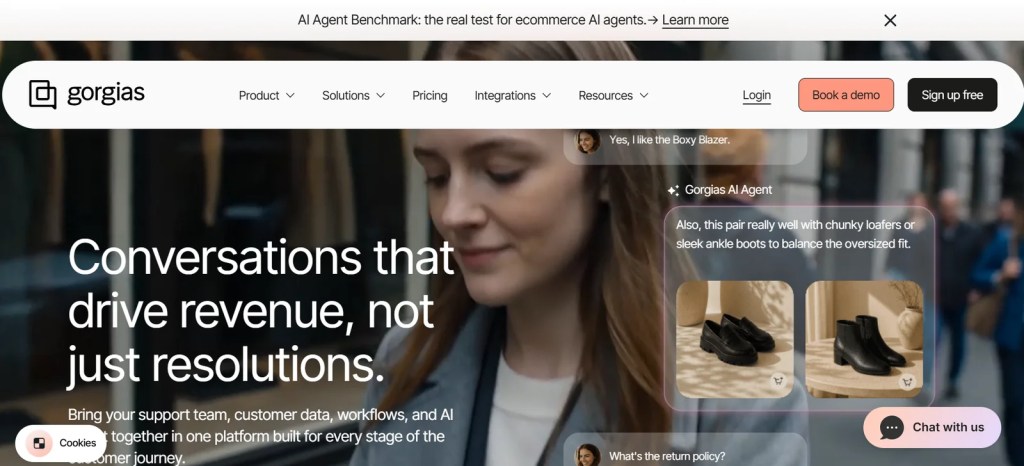
8. Gorgias – Ecommerce‑Focused Helpdesk with Deep Shopify Integrations
Positioning:
Gorgias is built for DTC and Shopify merchants, emphasizing deep integrations with ecommerce apps and order management systems.
AI approach:
Gorgias AI Agent focuses on:
- Answering common ecommerce questions (order status, returns, shipping)
- Taking actions like refunds and order edits via native integrations
- Assist‑leaning AI that works closely with human agents
Pricing shape (2026):
- Custom or pilot‑first pricing; AI often billed around ~$0.90–$1.00 per resolution on top of ticket/seat fees.
Best fit:
- Shopify and DTC brands that want the widest native ecommerce app marketplace
- Teams comfortable with assist‑leaning AI and double‑meter pricing
Common trade‑offs:
- AI maturity and resolution depth vary by deployment
- Total cost can be high when combining ticket fees and per‑resolution AI
Link: Gorgias
9. Kayako – Expert‑Implemented AI Support with Outcome‑Based Pricing

Positioning:
Kayako positions itself as an AI support agent plus modern helpdesk, implemented by a professional services team rather than purely self‑serve.
AI approach:
Kayako’s AI rollout is phased:
- AI triage for classification and routing
- AI Answers for high‑confidence responses with graceful handoff
- Continuous learning from resolved tickets
Pricing shape (2026):
- Pilot‑first, custom pricing; advertised around $1 per ticket in some materials, with expert implementation included.
Best fit:
- Mid‑market teams that want expert‑led AI deployment and measurable outcomes
- Organizations tired of DIY AI projects that stall during setup
Common trade‑offs:
- Custom pricing makes direct comparison harder
- Less ideal for very small teams or those wanting instant self‑serve access
Link: Kayako
10. BoldDesk – Unified AI Helpdesk with Agents and Copilot

Positioning:
BoldDesk is an AI‑powered helpdesk that combines ticketing, automation, AI agents, and agent assist in a single platform.
AI approach:
BoldDesk AI features include:
- AI Agents that handle routine inquiries and escalate complex issues
- AI Copilot for agents with reply suggestions and knowledge recommendations
- Sentiment analysis and AI‑assisted knowledge base management
Pricing shape (2026):
- Plans starting around $99/month for 5 agents, with AI capabilities bundled into higher tiers.
Best fit:
- Teams seeking an all‑in‑one AI helpdesk without stacking multiple tools
- Organizations that want both customer‑facing AI and agent assist in one system
Common trade‑offs:
- Advanced workflow customization may require a learning curve
- Less brand recognition compared to Zendesk or Intercom
Link: BoldDesk
11. Kustomer – CRM‑Driven Support with Unified Timelines

Positioning:
Kustomer is an AI‑native customer service platform focused on unified customer timelines and workflow automation, often used by mid‑market and enterprise brands
AI approach:
Kustomer AI supports:
- AI agents that automate routine workflows
- Sentiment analysis and next‑action recommendations
- Deep use of unified customer data for personalized support
Pricing shape (2026):
- Custom pricing; AI functionality typically adds to overall budget requirements.
Best fit:
- CRM‑driven organizations that value unified customer context
- Teams that want AI recommendations tightly coupled with customer data
Common trade‑offs:
- Pricing opacity makes TCO modeling harder
- Additional AI features increase overall cost
Link: Kustomer
12. Tidio (Lyro AI) – Affordable AI Chat for Ecommerce SMBs

Positioning:
Tidio targets small and mid‑size ecommerce businesses with live chat, chatbots, and Lyro AI Agent for automated conversations.
AI approach:
Lyro AI focuses on:
- Automated customer conversations for common questions
- AI reply assistance for human agents
- Simple chatbot flows for lead capture and support
Pricing shape (2026):
- Plans from around $24/month, with full AI capabilities behind higher tiers.
Best fit:
- Ecommerce SMBs that want affordable, easy‑to‑deploy AI chat
- Teams with relatively simple support needs and limited ticket volume
Common trade‑offs:
- Advanced automation requires higher‑priced plans
- Less suited for complex, multi‑channel enterprise support
Link: Tidio (Lyro AI)
13. Hiver – Gmail‑Native Support with AI Collaboration

Positioning:
Hiver turns Gmail into a shared support inbox, adding AI agents, Copilot, and workflow automation inside the Gmail interface.
AI approach:
Hiver AI includes:
- AI Agents that automate support tasks
- AI Copilot for drafting and insights
- AI‑powered workflow automation within Gmail
Pricing shape (2026):
- Plans from about $25/user/month, with AI features in higher tiers.
Best fit:
- Teams already working primarily out of Gmail
- Organizations that want minimal training and a familiar interface
Common trade‑offs:
- Less ideal for teams needing broad social or voice support
- Can feel limiting as support operations grow more complex
Link: Hiver
14. HappyFox – Structured Help Desk with Assist AI

Positioning:
HappyFox is an AI‑enabled help desk used by support, IT, and operations teams that need structured workflows and ticketing.
AI approach:
Assist AI provides:
- AI‑generated response drafts and ticket summaries
- Ticket prioritization and automation of repetitive requests
Pricing shape (2026):
- Plans from about $24/user/month, with AI capabilities in higher tiers.
Best fit:
- Teams that need structured service operations beyond basic customer support
- Cross‑functional teams (support + IT + ops) using a single help desk
Common trade‑offs:
- Interface can feel complex as customization increases
- Less focused on pure B2C conversational support
Link: HappyFox
15. Jira Service Management – Dev‑Aligned ITSM with Emerging AI

Positioning:
Jira Service Management is an ITSM platform tightly integrated with Jira Software and Confluence, popular with software and IT teams.
AI approach:
AI features (in Premium/Enterprise) include:
- Smart ticket routing and summarization
- Virtual service agent and major incident detection
- Integration with development workflows for bug tracking
Pricing shape (2026):
- Free for up to 3 agents; paid plans from about $22/agent/month, with advanced AI in Premium/Enterprise tiers.
Best fit:
- Software companies and IT teams already using Jira and Confluence
- Organizations that need strong incident and change management
Common trade‑offs:
- IT‑first design limits consumer‑facing support polish
- Steeper learning curve for non‑Atlassian users
Link: Jira Service Management
How to Choose the Right AI Customer Service Software for Your Team
Match the tool to your operating model, not the marketing
A practical selection process looks like this:
- Clarify your support model
- B2C high volume vs. B2B high complexity
- Email‑heavy vs. chat/messaging‑first
- Customer support vs. IT service management
- Define AI outcomes and guardrails
- Target metrics: deflection rate, first response time, CSAT, escalation rate
- Required AI features: intent detection, knowledge grounding, action execution
- Safety needs: human‑in‑the‑loop handoff, confidence thresholds, audit logs
- Validate knowledge and retrieval quality
- Sources: native knowledge base, Confluence/Notion, product docs, CRM data
- Retrieval: semantic search, re‑ranking, multilingual support
- Content lifecycle: ownership, feedback loops, freshness SLAs
If your support workflow also involves browser-based research, CRM work, or computer-use automation, our guide to the best AI browsers covers how agentic browsers are approaching these workflows
- Model total cost of ownership (12–36 months)
- Licenses and seat costs
- AI resolution/session charges
- Telephony, WFM, and other add‑ons
- Implementation, admin FTEs, training, and exit costs
- Run a real pilot before committing
- 2–4 weeks on a live queue, not just a curated demo
- Track deflection, resolution quality, CSAT impact, and admin effort
- Review security, SSO/SCIM, data residency, and DPA terms
FAQs
Q: What is AI customer service software?
A: AI customer service software uses artificial intelligence (natural language processing, machine learning, and related techniques) to automate support tasks, analyze conversations, and assist agents. Typical capabilities include chatbots, AI agents that resolve tickets, agent copilots, sentiment analysis, and AI‑powered knowledge management.
Q: How much does AI customer service software cost?
A: Costs vary widely by model:
- Per‑seat helpdesks: from ~$7–$55/agent/month at entry, up to $300+ for enterprise tiers.
- Per‑resolution AI: roughly $0.49–$2.00 per resolved conversation, depending on vendor and volume.
- Custom enterprise deals: often blend seat fees, AI fees, and module pricing.
Total cost depends on your ticket volume, resolution rate, and how many add‑ons you enable.
Q: Does AI customer service software replace human agents?
A: It replaces repetitive work, not the entire team. Mature AI tools handle routine inquiries (order status, FAQs, basic troubleshooting) end‑to‑end, while humans focus on complex, sensitive, or high‑value interactions. The typical outcome is higher capacity without proportional headcount growth.
Q: Which AI customer service platform is “best”?
A: There is no single best tool. The right choice depends on:
- Team size and ticket volume
- Existing stack (CRM, helpdesk, ecommerce platform)
- Desired balance between automation and human touch
- Budget and tolerance for implementation complexitykayako+3
For example:
- Enterprise, multi‑department: Zendesk, Salesforce Service Cloud
- SaaS, in‑app messaging: Intercom Fin
- SMB, budget‑conscious: Freshdesk, Zoho Desk
- Ecommerce DTC: Gorgias, Tidio
- Gmail‑native teams: Hiver
Final Thoughts
The AI customer service software market in 2026 is no longer about who has the flashiest demo. The meaningful differences show up in:
- How many tickets the AI can truly resolve end‑to‑end
- How well actions (refunds, edits, cancellations) are integrated
- How transparent and predictable the pricing is at your volume
- How much governance and QA you get as autonomy increases
For most teams, the winning strategy is:
- Start with a narrow, high‑impact use case (e.g., order status, password resets).
- Choose a platform that aligns with your existing stack and operating model.
- Pilot on real data, measure resolution quality and CSAT, then expand coverage gradually.
Done thoughtfully, AI customer service software becomes a force multiplier: your human agents spend more time on relationships and judgment, while the AI absorbs the repetitive volume that drains time and morale.